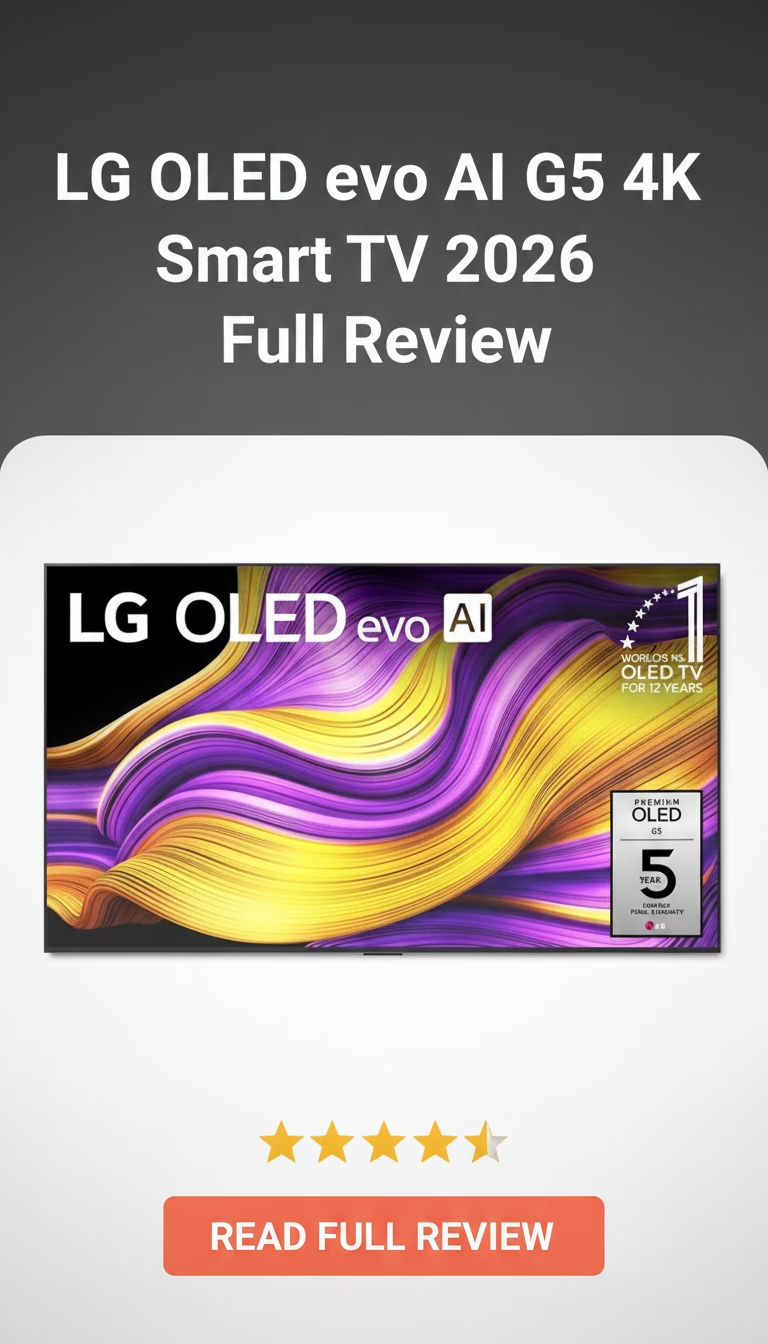
LG OLED evo AI G5 4K Smart TV Review 2026: Is It Worth Buying?
So, you’re in the market for a new TV, huh? Look, I get it. Walking into an electronics store or even just scrolling online can feel l…
LG G5 OLED evo — The Wall-Mounted Flagship That Justifies Its Price Tag
The LG G5 exists for one specific use case: a flush wall mount in a room where the TV doubles as a visual centerpiece. At $2,300 for the 65-inch, it costs roughly $700 more than the LG C4 OLED — and the entire premium goes toward the gallery-style design, a brighter panel, and the Alpha 11 AI processor. Whether that premium makes sense depends entirely on how you plan to install it.
The Gallery Design Is the Point
Mounted flush against a wall, the G5 sits nearly flat with no visible gap. The panel tapers to about 10mm across most of its surface, thickening only at the bottom edge where ports and processing hardware sit. No other consumer TV achieves this profile at this screen size. The included slim wall mount bracket is engineered specifically for zero-gap mounting — third-party VESA brackets work but add depth that defeats the purpose.
On a stand (sold separately at around $100), the G5 loses its identity. It becomes an expensive OLED with the same picture quality as the cheaper C4 but worse ergonomics for desk or console placement. LG clearly designed this TV for walls first, everything else second.
Build quality matches the price. The frame is brushed aluminum with almost invisible bezels — roughly 5mm on three sides. The rear panel is clean textured plastic with integrated cable routing channels. Ports face sideways for wall-mount access: four HDMI 2.1, three USB, ethernet, and optical audio out.
Panel Performance: Brighter Than Previous G-Series
The OLED evo panel pushes noticeably higher peak brightness than the G4 generation — around 2,100 nits in 10% HDR windows during testing, compared to roughly 1,800 nits on the G4. In real content, this means HDR highlights in scenes with direct sunlight, explosions, or metallic reflections have more punch and detail before clipping.
Black levels remain what OLED always delivers: true zero-nit blacks with infinite contrast. A dark scene in a pitch-black room still looks like staring into actual darkness rather than a glowing panel. This hasn”t changed, and it remains OLED”s single biggest advantage over any LED-backlit technology including mini-LED.
Color accuracy out of the box is solid in Filmmaker Mode — delta E averaging around 2.1 in testing, which is close enough to reference that most viewers won”t benefit from calibration. The wider color gamut covers about 98% of DCI-P3, putting it on par with Sony”s A95L QD-OLED for color volume. Viewing angles are excellent in all directions, with no visible color shift until extreme off-axis positions beyond 60 degrees.
Alpha 11 Processor: Real Improvements in Upscaling
The processor upgrade matters most for non-4K content. Cable TV, older Blu-rays, and 1080p streaming get noticeably cleaner upscaling — reduced noise, sharper edges, better texture detail. The AI-driven tone mapping for HDR does a competent job of adjusting dynamic metadata on a scene-by-scene basis, though the differences versus the Alpha 9 in the C4 are subtle on native 4K HDR content.
Where the processor genuinely earns its keep: object-based noise reduction on grainy film transfers. Classic movies on streaming platforms with heavy compression artifacts look meaningfully cleaner without the artificial smoothing that lower-end processors introduce.
Gaming: Full HDMI 2.1 on All Four Ports
All four HDMI ports support 4K 120Hz, VRR (G-Sync Compatible and FreeSync Premium), and ALLM. Input lag measures around 9ms at 4K/120Hz in Game Optimizer mode. The Game Optimizer dashboard provides real-time FPS, VRR status, and genre-specific picture presets for FPS, RTS, and RPG categories.
For PS5 and Xbox Series X owners, Dolby Vision Gaming at 4K/120Hz is supported — a feature Samsung still doesn”t offer on any of its TVs. PC gamers get full RGB 4:4:4 chroma at 120Hz without subsampling artifacts.
webOS and Sound
webOS 24 is responsive on the Alpha 11 hardware — apps launch in under 2 seconds, menu navigation is smooth, and the Magic Remote”s pointer control remains one of the faster ways to navigate a smart TV interface. All major streaming apps are available. AirPlay 2 and HomeKit integration work without requiring additional hardware.
Built-in speakers are adequate for news and dialogue but lack bass presence and soundstage width. The G5”s thin profile limits speaker driver size. Budget at least $300 for a soundbar if you care about audio quality — the LG SP9YA or Sonos Beam pair well and support WiSA or eARC passthrough.
Who Gets the Most From This TV
- Wall-mount installations where flush design matters — the G5”s gallery profile is unmatched.
- Dark-room home theater setups that prioritize OLED contrast and HDR brightness.
- Multi-platform gamers who need four full HDMI 2.1 ports with Dolby Vision Gaming support.
- Not ideal on a tabletop stand — the C4 does the same job for $700 less with a stand included.
- Rooms flooded with direct sunlight will still benefit more from a 3,000+ nit mini-LED like the Samsung QN90D.
- The $2,300 entry price makes it hard to recommend over the C4 unless the design premium genuinely matters to you.
The LG G5 is the best wall-mounted TV you can buy. That”s a narrow category, but within it, nothing else comes close. If your installation plan involves a VESA bracket and you want OLED-level picture quality in a panel that disappears into the wall, this is the one to get. Everyone else should save the money and buy the C4.
Pros
- Picture quality is absolutely mind-blowing.
- Gorgeous design, practically disappears on wall.
- Snappy smart TV interface (webOS).
- Fantastic for high-end gaming.
- Sound quality is surprisingly good.
Cons
- It's seriously expensive.
- Can be reflective in bright rooms.
- Wall mount included, but no stand.
- Still a tiny burn-in risk.
Leave a Reply