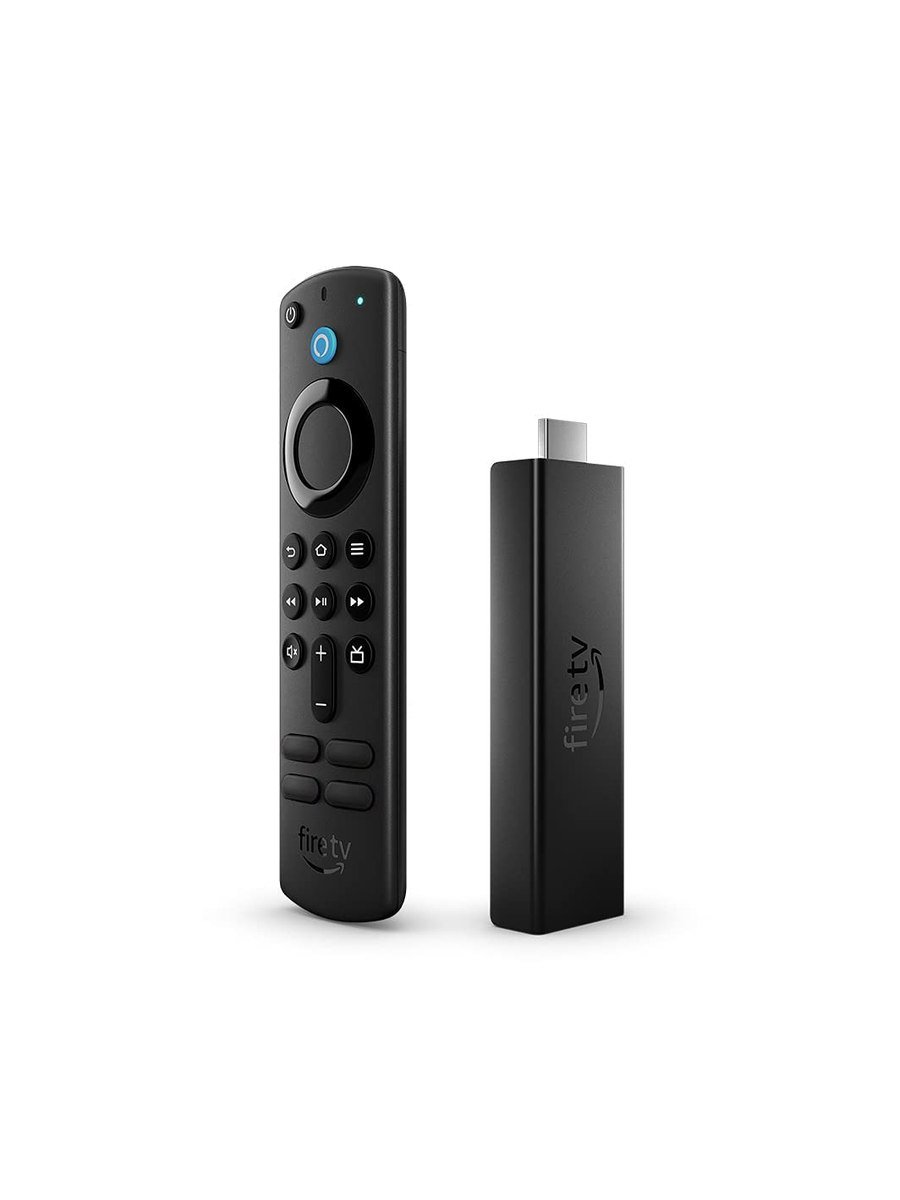
If your television is more than three years old, its own software is probably slow, and a streaming stick is the cheapest possible fix. The 4K Max is the fastest of the cheap ones, and the compromise is entirely about what the home screen looks like.
Speed
This is the whole pitch. A quad-core processor and double the storage of the standard stick mean apps open quickly and the interface does not stutter when you scroll. Compared with the basic Fire TV Stick the difference is obvious within a minute. Compared with the built-in apps on a mid-range television from a few years ago, it is transformative.
Wi-Fi 6 support helps in a house with a lot of connected devices, where the older 802.11ac sticks start dropping to lower bitrates. It needs a compatible router to matter, and most people will not notice on a quiet network.
Picture and sound
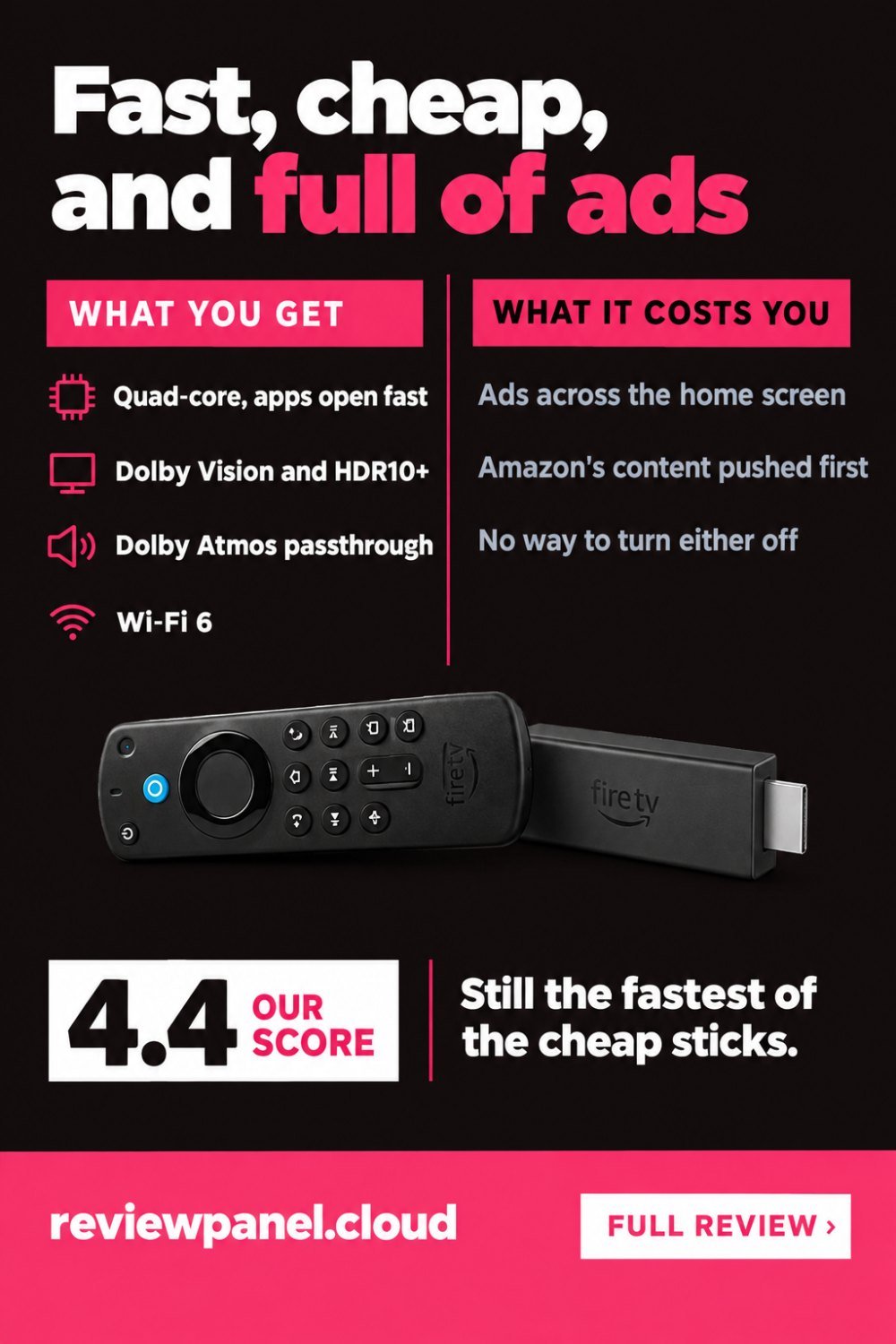
4K with Dolby Vision, HDR10+ and Dolby Atmos passthrough. That is a complete set of formats, which not every cheap stick can claim — several support HDR10 only. If your television and soundbar handle Dolby Vision and Atmos, this stick will feed them properly.
What you need at the other end
A stick can only pass on what the television and the speakers can use, and this is where money gets wasted in both directions.
| You have | What you get |
|---|---|
| 1080p television | Speed, apps and a better remote. No 4K, no HDR |
| 4K television, no HDR | 4K detail, standard dynamic range |
| 4K with HDR10 only | HDR, but Dolby Vision is converted to something simpler |
| 4K with Dolby Vision | The full picture the stick can send |
| TV speakers or a stereo soundbar | Ordinary surround, no object audio |
| Atmos soundbar or receiver | Atmos, if the app and the title carry it |
One practical note that costs nothing: plug it into the television's best HDMI port. On many sets only one or two ports carry the full 4K high-bandwidth signal, and the stick landing in the wrong one is the usual reason a new device looks no better than the old one.
The remote and Alexa
The Alexa Voice Remote has TV power and volume buttons, so it replaces your television remote for everyday use. Voice search works across apps, which is genuinely faster than typing a film name with a directional pad. There are shortcut buttons for the big services; whether that is convenient or intrusive depends on your mood.
The home screen
You should know what you are buying. The Fire TV home screen is built around promoting Amazon content and advertising. There are rows you cannot remove and a large banner ad at the top. You can bury it by going straight into apps, and the Ambient Experience mode that displays artwork when idle is a nice touch, but the interface is not neutral. A Google TV or Apple TV device costs more and sells you less.
Two things make it easier to live with. Turn off autoplaying video and audio previews on the home screen, which removes most of the noise and some of the sluggishness. And in the advertising settings, switch off interest-based ads; the banners stay but they stop being built from what you watch.
When a stick is the wrong answer
If the television is slow because its own apps are old, a stick fixes it completely and for very little money. If the television is slow because the panel itself is failing, or because the Wi-Fi in that room is poor, a stick fixes nothing: the first case needs a new set and the second needs either an ethernet adapter or a better access point. Sticks also do not add HDMI ports, do not improve picture on a 1080p set beyond what the apps already do, and do not help if your problem is that one particular service is missing from your region.
Should you buy it?
Buy the 4K Max if you want the fastest cheap stick, you already use Prime Video, and the home screen does not bother you. Skip it if you want a neutral interface, or if your television already runs a modern platform smoothly.
Key features
Quad-core processor
Apps open quickly and the interface stays smooth.
Wi-Fi 6
Better behaviour on networks with many connected devices.
Dolby Vision and HDR10+
Both dynamic HDR formats supported, not just HDR10.
Dolby Atmos passthrough
Feeds object-based audio to a compatible soundbar or receiver.
Alexa Voice Remote
With TV power and volume control and cross-app voice search.
Ambient Experience
Displays artwork and information when the stick is idle.
Pros & cons
What we like
- Noticeably faster than the standard Fire TV Stick
- Dolby Vision, HDR10+ and Atmos support
- Wi-Fi 6 for busy home networks
- Remote controls TV power and volume
- Voice search works across apps
- Very cheap for what it does
What could be better
- Home screen is built around Amazon promotion
- Some rows cannot be removed
- Wi-Fi 6 needs a compatible router to matter
Specifications
Frequently asked questions
Yes if the television is your main one. The processor and extra storage make menus and app launches noticeably quicker, and that is what you feel daily.
No. It falls back to older standards. Wi-Fi 6 only helps if your router supports it and your network is busy.
No. You can avoid them by launching apps directly, but the banner and promoted rows are part of the platform.
Yes, along with HDR10+, HDR10 and HLG, plus Dolby Atmos passthrough.
Yes, the included remote has power and volume buttons that control most televisions over HDMI-CEC or infrared.
The television's best one. On many sets only one or two ports carry the full high-bandwidth 4K signal, and landing in the wrong port is the usual reason a new stick looks no better than the old one.
Partly. Turn off autoplaying video and audio previews, which removes most of the noise and some of the sluggishness, and switch off interest-based ads. The promoted rows themselves cannot be removed.
No. A stick fixes slow apps, not a weak signal. That needs an ethernet adapter or a better access point in that room.
Final verdict
The fastest of the cheap streaming sticks, with a complete set of HDR formats. The advertising-led home screen is the cost of the price.
What owners report
Gathered from what long-term owners consistently say, not from a single test.
Speed is what people notice on day one when they arrive from an older television's built-in apps. The advertising weight on the home screen is the most repeated complaint, because finding something to watch means scrolling past it. Occasional restarts are described after long stretches of use, and unplugging it is enough. Remote battery life runs into months and is not a complaint.
Reader rating
Found this review helpful?
Pin it to one of your boards and come back to it whenever you need a reminder.

No comments yet.
Join the discussion. Comments are moderated before appearing.