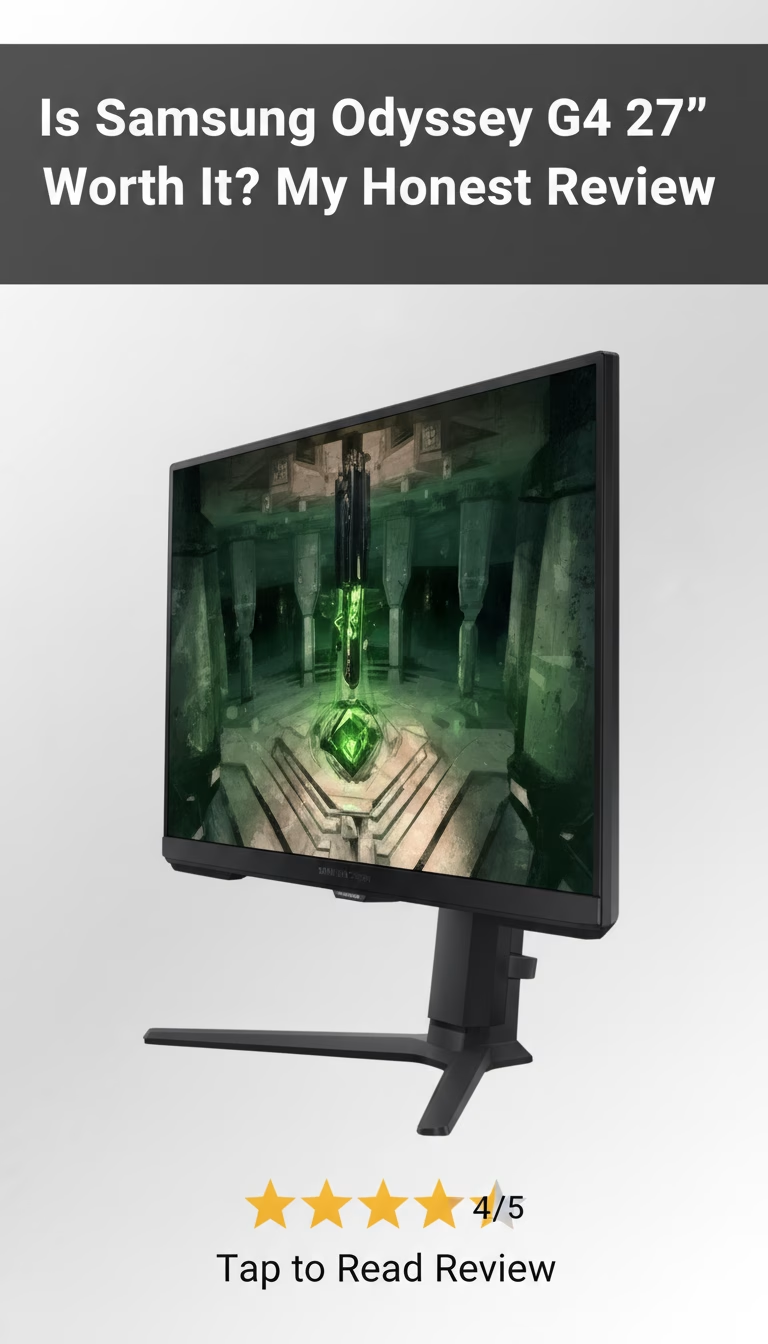
Samsung Odyssey G4 — A Budget 240Hz Monitor That Gets the Job Done
The Samsung Odyssey G4 puts a 240Hz IPS panel into a sub-$250 package. At 27 inches with 1080p resolution, it's clearly built for one thing: competitive gaming on a mid-range GPU. The refresh rate is the headline here, and it delivers — but there are trade-offs worth knowing before you buy.
The Panel: 240Hz IPS at 1080p
The 240Hz refresh rate and 1ms response time are the reasons to buy this monitor. In practice, motion blur nearly disappears in fast shooters — tracking enemies during quick flicks feels noticeably sharper compared to a 144Hz panel. The IPS panel handles color reasonably well, with decent viewing angles, though it won't match a higher-end display for color-critical work.
The 1080p resolution is a deliberate choice. It means a mid-range GPU (RTX 4060 or RX 7600 territory) can actually push 200+ fps consistently, which is the whole point of having a 240Hz panel. If you paired a 1440p monitor with the same GPU, you'd be stuck at 100-120fps and wasting the high refresh rate.
AMD FreeSync Premium is built in, and it also works with NVIDIA cards through adaptive sync — no tearing or stuttering in either camp. There's a "Black Equalizer" setting that boosts shadow visibility, which helps in games like Valorant or Escape from Tarkov where spotting enemies in dark corners matters.
Build and Ergonomics: Functional, Not Premium
The monitor is mostly plastic. It doesn't feel flimsy, but it doesn't feel like a $500 display either — which makes sense given the price. The matte black finish avoids fingerprints and reflections. One annoyance: the power supply is an external brick, which adds cable clutter behind your desk.
The stand is genuinely good for this price range. Tilt, swivel, pivot, and height adjustment are all included — most budget monitors skip at least one of these. VESA 100x100mm mounting is supported if you prefer a monitor arm. The thin bezels give it a clean, borderless look that blends well in multi-monitor setups.
Day-to-Day: Quick Setup, Missing Speakers
Out of the box, setup takes about 10 minutes — attach the stand, plug in two cables, done. The on-screen menu is straightforward, with pre-set modes for FPS, RTS, and RPG that adjust brightness and response time automatically. There's also a desktop software app for adjusting settings without touching the physical buttons, which is a nice touch.
No built-in speakers. You'll need headphones or external speakers. This is standard for gaming monitors at every price point, but worth mentioning if you're coming from a TV or all-in-one display. The 1080p resolution can feel cramped for productivity — large spreadsheets or code editors benefit from more pixels — but for gaming and general browsing, it's fine.
What Works and What Doesn't
- The 240Hz refresh rate makes a tangible difference in competitive shooters — motion is visibly smoother than 144Hz panels.
- 1ms response time keeps input lag low enough for serious competitive play.
- FreeSync Premium works with both AMD and NVIDIA GPUs, eliminating tearing.
- The stand includes full ergonomic adjustment, which is rare at this price.
- At around $220, it undercuts most 240Hz IPS monitors by $50-80.
- 1080p is limiting if you also use the monitor for work — text isn't as sharp as 1440p at 27 inches.
- No speakers, so you need a separate audio solution.
- The plastic build and external power brick feel budget-oriented.
- Color accuracy isn't strong enough for serious photo or video editing.
The Verdict
Competitive FPS gamers running a mid-range PC will get the most out of this monitor. If you play Valorant, CS2, or Apex and want every frame advantage under $250, the Odyssey G4 delivers where it matters. The ASUS TUF Gaming VG279QM is the closest competitor — similar specs, slightly different color tuning.
If resolution matters more to you than refresh rate — for content creation, detailed photo work, or you just want sharper text — look at 1440p options like the LG 27GN800-B instead. It costs more and the refresh rate is lower, but the image quality jump is significant at 27 inches.
At this price point, the Odyssey G4 is one of the stronger options for pure gaming speed. The 240Hz panel does what it promises, and the full ergonomic stand is a bonus you don't usually get under $250.
Key Features
Pros & Cons
What We Like
- High refresh rate for smooth gaming
- Fast response time minimizes ghosting
- FreeSync Premium eliminates tearing
- Affordable price point
- Good color accuracy for IPS panel
What Could Be Better
- 1080p resolution may be low for 27"
- Basic design
- Limited built-in features
Specifications
| Brand | Samsung Odyssey |
|---|---|
| Model | G4 (G40) |
| Dimensions | 24.5 x 20.7 x 9.8 inches |
| Weight | 11.5 lbs |
| Material | Plastic |
| Color Options | Black |
| Warranty | 1-year limited warranty |
| Screen Size | 27 inches |
| Resolution | 1920 x 1080 (Full HD) |
| Response Time | 1ms (MPRT) |
| Refresh Rate | 165Hz |
| Panel Type | IPS |
Frequently Asked Questions
The Samsung Odyssey G4 is a great value for gamers looking for a high refresh rate and low response time at an affordable price. Its FreeSync Premium support is excellent for tear-free gaming, making it worth considering if you're on a budget.
The Samsung Odyssey G4 comes with a standard 1-year limited warranty. This covers manufacturing defects and malfunctions. Contact Samsung support directly for warranty claims.
Compared to similar monitors from ASUS or Acer, the Samsung Odyssey G4 offers comparable performance at a potentially lower price point. Some competitors might offer slightly better build quality or additional features, but the G4 provides excellent bang for your buck.
The Samsung Odyssey G4 is ideal for budget-conscious gamers who prioritize high refresh rates and fast response times. It's a great choice for competitive gaming where smooth visuals are crucial, but also good for general PC use.
Available on Amazon and other major retailers. We recommend checking Amazon for the best current price and fast shipping.
Final Verdict
The Samsung Odyssey G4 is a solid budget gaming monitor offering a high refresh rate and low response time for smooth, competitive gameplay. For those wanting an affordable 1080p gaming monitor, it's a great choice. Check Amazon for the best deals and current pricing.

Save for later
Found this review helpful?
Pin this article to your Pinterest board and come back to it whenever you need a reminder.
Save to PinterestPrice Tracker
Get Price Drop Alerts
We'll notify you when the price drops below your target.