A smart home starts with a few smart plugs, not an expensive hub. Buying a whole system before you know what you will actually use is the most common and most expensive mistake in this category.
Why a plug first
A smart plug is the cheapest possible test of whether you want any of this. It costs about as much as a takeaway, works with every assistant, takes five minutes to set up, and if you decide the whole idea is silly you have lost very little. Bulbs, thermostats, locks and cameras all involve either wiring, commitment or a subscription. A plug involves none of them.
It is also the only smart device that makes a dumb appliance smart without replacing it. Your existing lamp, fan, heater and coffee machine all become schedulable for the price of the plug.
What to plug in first
Four uses pay off immediately, and they are all unglamorous.
| Plug it into | What you get |
|---|---|
| A lamp in the living room | Sunset schedule, and a lived-in look when away |
| The coffee machine | On at 6:30, so it is hot when you get downstairs |
| A heater or towel rail | Two hours in the morning instead of all day |
| Christmas lights or an aquarium light | A fixed cycle you never think about again |
| The games console or set-top box | A standby figure you can see, then decide about |
The pattern is worth noticing: the useful ones are things that should be on at a particular time, or off when you forget. The gimmicky ones are things you were already switching on when you walked past them.
What to check before you buy
- Load rating. A lamp needs nothing special; a heater needs a plug rated for the current it draws. Check the appliance's rating and the plug's, and never run a high-draw appliance through an extension lead as well.
- Which assistants it supports. Pick one that works with whatever the household already uses, and prefer one that also supports a second ecosystem, because households change phones.
- Energy monitoring. Not every plug has it, and it is the feature that turns guesses about standby cost into numbers.
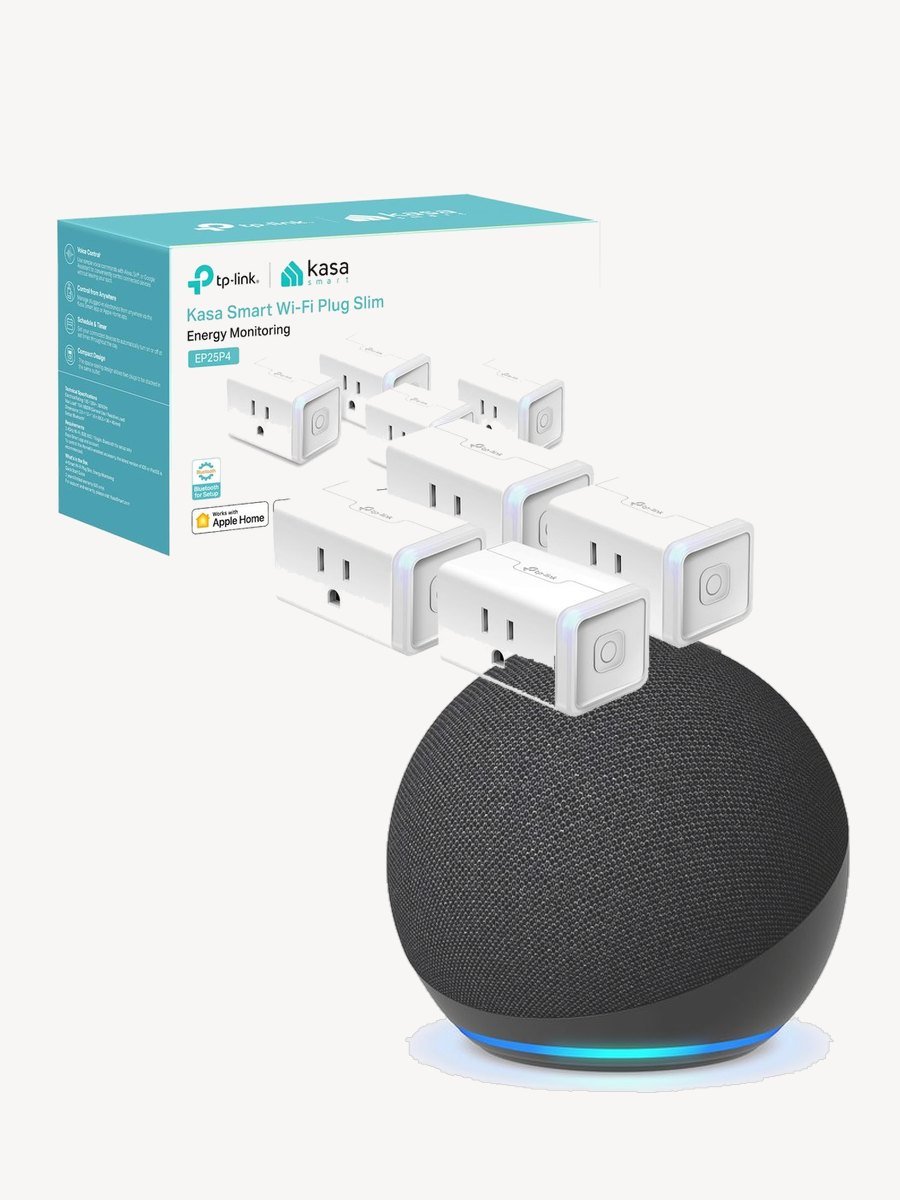
- Physical size. Fat plugs cover the second socket in a double outlet, which is a small annoyance repeated every day.
- The button on the plug. Make sure there is one, and that it works without the internet. It is the fallback for everything below.
The setup problem you will hit
Nearly all smart plugs join 2.4 GHz networks only, and most routers publish one name for both bands and choose for you. When setup fails repeatedly at the last step, that is why: your phone is on 5 GHz and the plug cannot follow it there. Turn the 5 GHz band off while you add the plugs and back on afterwards, or give the two bands separate names. It is two minutes in the router settings and it solves the great majority of "this plug is faulty" returns.
What happens when the internet goes down
Worth knowing before you route anything important through a plug. Wi-Fi plugs talk to a cloud service, so with the connection down, voice control and app control stop even though the plug is in the same room. Schedules already stored on some plugs keep running; others do not. The physical button always works.
The practical rule: never put anything on a smart plug that must not silently lose power. A freezer, a fish tank heater in winter, a medical device or a router are all the wrong things to make switchable, because you have added a new way for them to be off without anyone noticing.
When a hub starts to make sense
Around five devices, and for a specific reason rather than as a milestone. Every Wi-Fi device takes an address on your network and depends on its maker's cloud; at a certain point that is a lot of separate apps and a lot of separate points of failure. A hub, or a standard like Matter that lets devices work locally, is what replaces that sprawl with one system that keeps working when the internet does not.
Before that, a hub is a solution looking for a problem. Buy plugs, live with them for a month, and let the gaps tell you what to buy next. If you want a worked example of what to look for in the plug itself, our review of the Kasa EP25 covers compatibility, energy monitoring and the sizing question in detail.
Found this review helpful?
Pin it to one of your boards and come back to it whenever you need a reminder.

No comments yet.
Join the discussion. Comments are moderated before appearing.