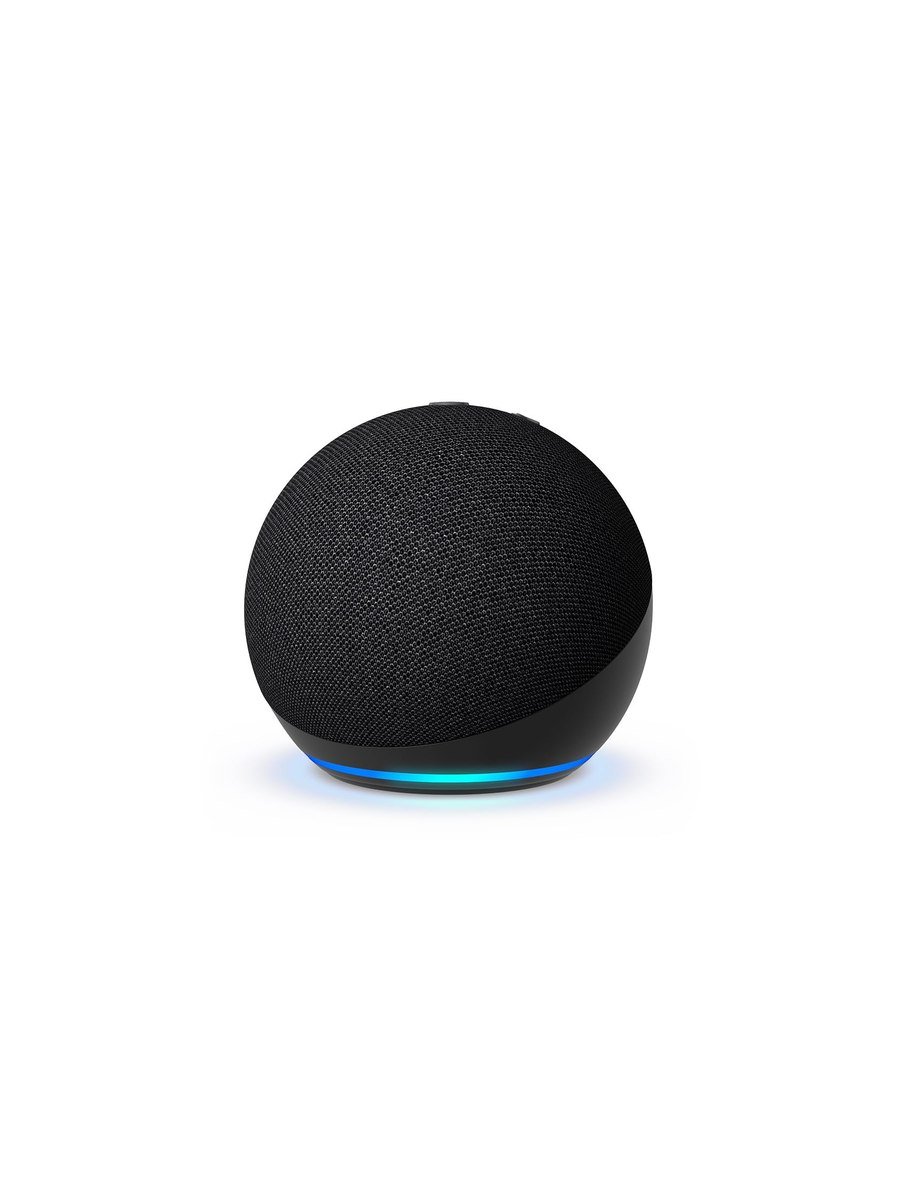
The Echo Dot is sold as a speaker. It is really a microphone with a speaker attached, and whether that is a good deal depends entirely on what you want it for.
As a speaker
The fifth generation is a genuine step up. The driver is larger than the fourth generation's and the bass is fuller, the vocals clearer. It fills a bedroom or a kitchen perfectly well for podcasts and background music. It is not a hi-fi speaker and it does not pretend to be; stereo pairing two of them helps, and pairing one to an external speaker over Bluetooth or the Echo's own line-out on larger models is another route.
The sensors nobody mentions
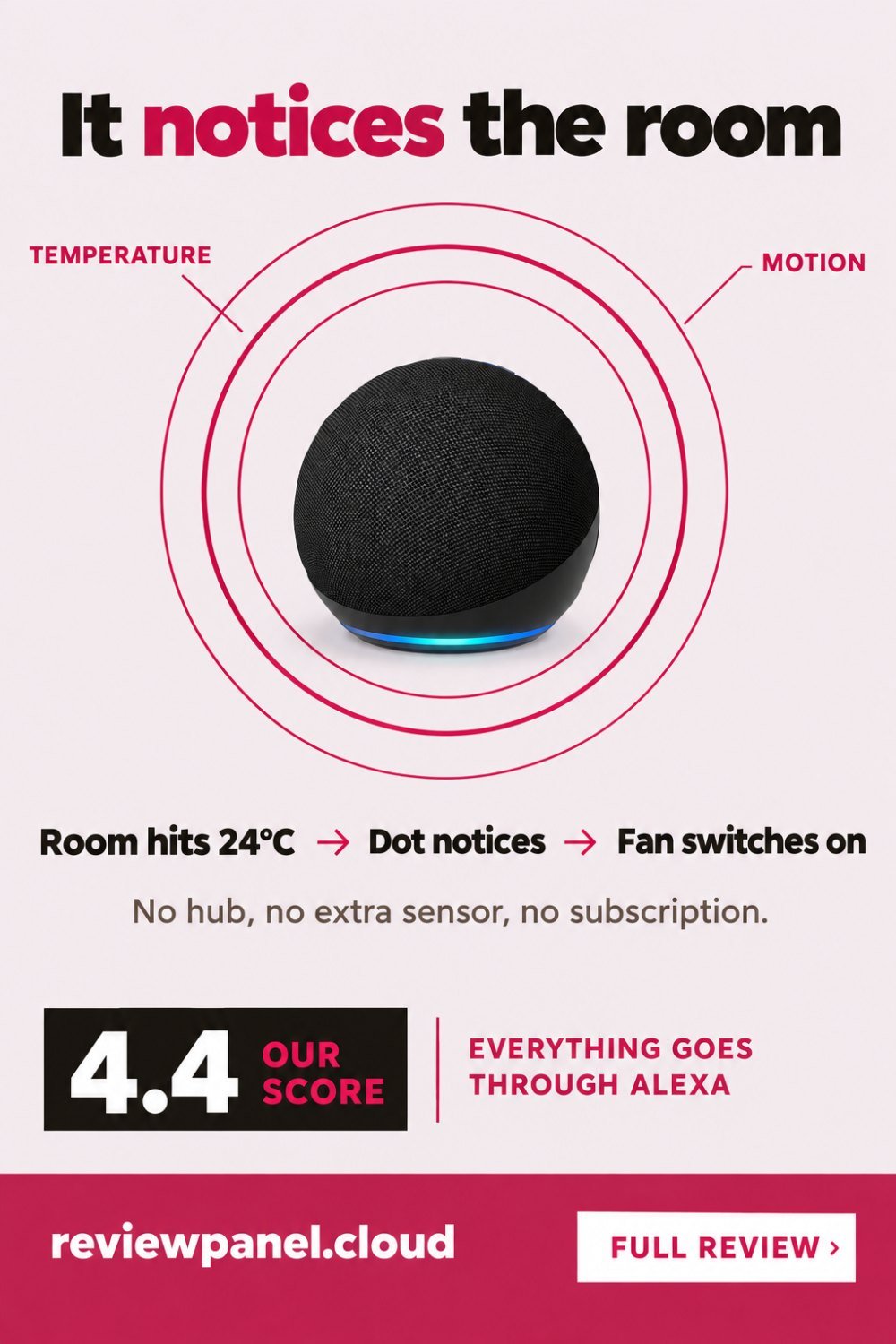
This generation added a built-in temperature sensor and motion detection, and they are the most interesting thing about it. You can build routines like "if the bedroom goes above 24 degrees, turn on the fan plug" or "if motion is detected in the hall after midnight, turn on the lamp at ten per cent". That turns a cheap speaker into a genuine sensor node, and it is the reason to pick the Dot over a random Bluetooth speaker.
Routines that people keep using
Most routines get built once and forgotten. These are the shapes that survive, and all of them use something the Dot has on board rather than an extra sensor.
| When | Do this | Why it sticks |
|---|---|---|
| Room goes above 24°C | Switch on the fan plug | Nobody remembers to do it themselves |
| Room drops below 17°C | Announce it, or switch on a heater plug | Catches a cold spare room before the pipes do |
| Motion in the hall, after midnight | Lamp on at ten per cent for two minutes | Enough light to not fall down the stairs |
| No motion in the office for 30 minutes | Lights and desk plug off | Turns the habit into a rule |
| Alarm goes off | Bedroom light to 40 per cent, radio on | Better than a phone alarm on a dark morning |
| "Alexa, goodnight" | Plugs off, lights off, volume down | One phrase instead of a lap of the house |
Alexa in practice
Timers, weather, unit conversions, radio, controlling lights and plugs: all reliable. Following a complicated request, or anything that requires context from two sentences ago: still hit and miss. Alexa is best treated as a set of voice shortcuts rather than a conversation, and once you accept that it is genuinely useful, particularly with wet hands in a kitchen.
The smart home side is where it earns its place. Pair it with plugs and bulbs and you get voice control, schedules and routines without a hub. Matter support means it also talks to devices from other ecosystems.
What it will not do on its own
The Dot is not a full hub. Zigbee kit — a lot of sensors and some bulbs — needs an Echo model with a Zigbee radio or a separate bridge. Anything on Thread needs a Thread border router, which this is not. Devices that speak only their own manufacturer's cloud need that manufacturer's app to be working; the Dot just relays the command. And with the internet down, voice control stops entirely, because the speech is processed in Amazon's cloud rather than on the device.
Where to put it
Two placement mistakes cost more than any setting. Do not put it next to the sink or the extractor, because running water and a fan are the two sounds that defeat far-field microphones. And keep it a hand's width off the wall: the Dot fires sound downwards and outwards, and a body pressed against a wall or shoved into a shelf corner turns the low end to mush.
The part you should think about
It is a microphone that lives in your house and listens for a wake word. Amazon publishes its privacy controls, you can mute the mic with a hardware button, and you can review and delete voice history. Those are real controls. Whether you want the device at all is a separate question from whether it works well, and it is worth answering deliberately rather than by default.
If you do keep it, four settings are worth changing on the first day. Turn off saving voice recordings, or set them to delete automatically after three months. Turn off using your recordings to improve Amazon's services. Turn off Drop In unless a family member actually uses it, because it allows another account to open the microphone. And check which other households your device is linked to, which is the setting people forget after a house move.
Should you buy it?
Buy the Dot if you want timers, music and voice control of lights for very little money, and you will use the temperature and motion sensors in routines. Skip it if you want real music quality, if you dislike voice assistants, or if you are not comfortable with an always-listening device. If you only want to switch a lamp on a schedule, a smart plug on its own does that for less and listens to nothing.
Key features
Improved driver
Clearer vocals and deeper bass than the fourth generation.
Temperature sensor
Trigger routines from room temperature, such as switching on a fan.
Motion detection
Trigger lights or routines when someone walks past.
Smart home hub features
Controls compatible bulbs, plugs and thermostats without a separate hub.
Stereo pairing
Pair two Dots for stereo, or send audio to a Bluetooth speaker.
Microphone off button
A hardware switch that electrically disconnects the mics.
Pros & cons
What we like
- Noticeably fuller sound than the previous generation
- Temperature and motion sensors usable in routines
- Controls lights and plugs with no hub
- Matter support for other ecosystems
- Hardware microphone mute button
- Costs very little
What could be better
- Not a music speaker in any serious sense
- Alexa still struggles with multi-step requests
- An always-listening microphone in your home
Specifications
Frequently asked questions
Only if you want the temperature and motion sensors. The sound is better but not transformative; the sensors are what make it a different product.
Yes, for Wi-Fi and Matter devices. Some Zigbee kit needs the larger Echo models that include a Zigbee radio.
The mic button electrically disconnects the microphones and lights a red ring. That is a hardware cut, not a software setting.
Fine for podcasts, radio and background listening in one room. It is not a substitute for a real speaker, though stereo pairing two helps.
It is intended for routines rather than precision measurement. Expect it to be useful for "warmer than usual" logic, not for calibrating a thermostat.
Stop saving voice recordings or set them to auto-delete after three months, turn off using recordings to improve Amazon's services, switch Drop In off unless someone actually uses it, and check which other households the device is linked to.
No. Speech is processed in Amazon's cloud, so voice control stops entirely. Any device you control through it keeps working from its own switch or app.
Away from the sink and the extractor, which are the two sounds that defeat far-field microphones, and a hand's width clear of the wall. It fires sound downwards and outwards, so a shelf corner muddies the bass.
Final verdict
A better speaker than the price suggests, and the built-in temperature and motion sensors turn it into a genuinely useful smart-home node.
What owners report
Gathered from what long-term owners consistently say, not from a single test.
Sound quality is rated above what the price suggests, and it is enough on its own in a kitchen or bedroom. The temperature sensor actually getting used in routines is the detail people coming from an older model notice. Dropping the 3.5 mm output is the most commonly named omission for anyone wanting to feed an external speaker. Unprompted suggestions and promo announcements are the recurring daily irritation.
Reader rating
Found this review helpful?
Pin it to one of your boards and come back to it whenever you need a reminder.

No comments yet.
Join the discussion. Comments are moderated before appearing.